
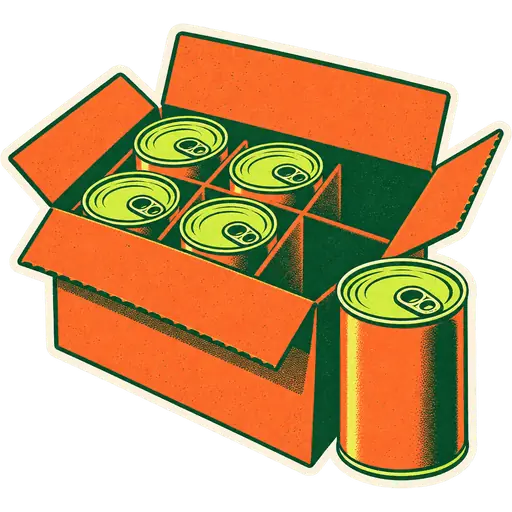
Walk into any Korean mart, mercado or halal grocery and you will find the same thing in the back: cases. Ramyeon by the box, coconut water by the 24, rice by the 25-pound sack. Out front, most of it sells one at a time. The gap between how you buy and how you sell is where margin is won or lost. This guide shows how to price it, how your POS should track it, and where owners usually lose money without noticing.
What is case vs unit pricing?
Case vs unit pricing means you buy a product in a larger pack (a case, a box, a sack) and sell it in smaller units (a can, a pack, a pound), sometimes also selling the whole case at a discount. Each way of selling has its own price, but all of them draw from the same stock.
The math is simple, but doing it by hand across thousands of items is not. That is why the register has to know that one case equals 24 cans.
How do I calculate the real unit cost?
Divide what you paid for the case by the number of units in it. Then adjust for anything that changes the true cost: free goods, deposits, freight and expected shrink. Every price you set, for the unit or the case, should be checked against this number.
Basic formula:
Unit cost = case cost ÷ units per case
Example: coconut water, 24 cans of 11.2 oz, case cost $23.76.
- Unit cost = 23.76 ÷ 24 = $0.99
Adjust for the things that change cost
- Free goods: a vendor gives 1 free case for every 10. Your effective cost per case drops by about 9%.
- Deposits and fees: bottle deposits or state fees can be passed through or absorbed. Decide, and be consistent.
- Freight: if you pay delivery per order, spread it across the cases.
- Shrink: dented cans, breakage and theft. If 2% of cans never sell, your effective unit cost is about 2% higher.
Markup vs margin: which number should I watch?
Margin is the one to watch. Margin is profit divided by the selling price. Markup is profit divided by cost. They are easy to confuse, and confusing them leads to prices that look healthy but are not.
| Unit cost | Selling price | Profit | Markup | Margin |
|---|---|---|---|---|
| $0.99 | $1.49 | $0.50 | 50.5% | 33.6% |
| $0.99 | $1.79 | $0.80 | 80.8% | 44.7% |
| $0.99 | $1.99 | $1.00 | 101% | 50.3% |
Most grocery departments run on margins well below 50%, but small ethnic markets often price single cold drinks and snacks higher because they sell them chilled and one at a time.
Worked example: coconut water by the can and by the case
Here is one product sold three ways, with the same unit cost of $0.99.
| Sell as | Price | Units out of stock | Revenue | Cost | Margin |
|---|---|---|---|---|---|
| 1 can | $1.79 | 1 | $1.79 | $0.99 | 44.7% |
| 6 cans | $10.74 | 6 | $10.74 | $5.94 | 44.7% |
| 1 case (24) | $35.99 | 24 | $35.99 | $23.76 | 34.0% |
The case price is $7 cheaper than 24 single cans ($42.96). The customer saves, you move a full case in one sale, and your margin is still 34%. That is a healthy case price. If you had set the case at $27.99, your margin would have dropped to about 15%, which is too thin once shrink and freight are counted.
You can try this with your own numbers on the case and unit pricing page, which has a live calculator.
How should my POS track case and unit stock?
Your POS should store stock in the smallest unit you sell, and treat the case as a multiple. Receive 2 cases of 24 and stock goes up by 48. Sell 3 cans and it goes down by 3. Sell a case and it goes down by 24. You never count stock in two places.
In GetGroceryPOS this is done with units and sub-units:
- Create the base unit first, for example “can” or “piece”.
- Create the bigger unit as a multiple of the base: “case of 24 = 24 cans”, or “dozen = 12 pieces”.
- Assign the base unit to the product and choose which sub-units it can be bought and sold in.
- Purchase in cases on your purchase orders. Stock arrives in cans automatically.
- Sell in whichever unit the customer wants. Prices adjust to the unit.
For weighed products, allow decimals on the unit (pound or kilogram), so a 25 lb rice sack can also be sold as 2.5 lb from a bulk bin if you repack it.
A warning about changing pack sizes
When a vendor changes a case from 24 to 18, do not just edit the old conversion. In systems that store everything in the base unit, editing the conversion can change how old purchases and sales are shown. Create a new unit (“case of 18”) or a new product, and leave the old one for history.
Common unit setups in ethnic markets
Every market has its own patterns. Here are setups we see often.
| Product | Buy as | Sell as | Notes |
|---|---|---|---|
| Ramyeon multipack | Box of 8 packs of 5 | Single, 5-pack, box | Three prices, one stock |
| Jasmine rice | 25 lb sack | Sack, or by the lb from a bin | Decimals on lb |
| Corn tortillas | Case of 12 packs | Pack | Short shelf life: watch expiry |
| Dates | 5 kg carton | By the kg or 500 g box | Common in UAE and Pakistan |
| Soft drinks | Case of 24 | Can, 6-pack, case | Check SNAP state rules in the US |
| Eggs | Case of 15 dozen | Dozen, half dozen, tray of 30 | Trays popular in Pakistan |
Where owners lose money on case pricing
The biggest losses come from case prices set without checking unit cost, from stock counted in two places, and from vendor price changes that never reach the shelf. Each one is small per sale and large over a year.
- Case price below margin floor. A “great deal” case that loses money on every sale. Always calculate the case margin.
- Stock kept in two units. Cases in one list, cans in another. Counts never match and reorders go wrong.
- Vendor raised the price, shelf did not change. Your margin shrinks silently. Review cost changes on every purchase order.
- Free goods not recorded. You miss a lower cost and price too high, or you record stock you never received.
- Expiry ignored. Short-dated cases sold slowly at full price, then thrown away. Track lot and expiry dates for perishables.
- No case price at all. Bulk buyers, restaurants and catering customers go elsewhere.
A pricing checklist for each case item
- Record the case cost, units per case and any free goods.
- Calculate the unit cost.
- Set the unit price with your target margin.
- Set a multi-pack price if you sell one (6-pack, 5-pack).
- Set the case price with a margin above your floor.
- Put the saving on the shelf tag: “Case of 24: save $7”.
- Review margins monthly in a report by unit.
How do I price for restaurants and bulk buyers?
Many ethnic markets sell to small restaurants, taquerías, caterers and families who buy in bulk for events. Give them case prices or a customer price group rather than ad hoc discounts at the register. A consistent bulk price protects your margin and saves the cashier from negotiating at the counter.
Options that work:
- A case price on the shelf for anyone, which is simplest.
- A customer group for registered business buyers, with its own price on selected items.
- House accounts so regular restaurant buyers can pay weekly. Track their balance and set a credit limit.
- Minimums on special prices, for example case price only when buying two or more cases.
Always check the margin of these prices by unit. Restaurant customers often buy your lowest-margin items in the largest quantities, so a small discount has a big effect.
How do vendor price changes reach the shelf?
Every time a vendor changes a case cost, your unit cost changes, and every price on that item should be reviewed. The safest habit is to check cost changes when you receive the purchase, before the stock reaches the shelf. A POS that records the cost on each purchase makes this a quick comparison.
A routine for receiving:
- Receive the delivery against the purchase order.
- Compare the new case cost with the last one.
- If the cost went up, recalculate unit cost and margin on the unit, multi-pack and case prices.
- Update prices before the new stock goes on the shelf.
- Print new shelf labels for changed items.
Over a year, vendors raise prices on hundreds of items by a few cents each. If you only review prices once a year, you give that margin away for months.
Mixed cases and variety packs
Some vendors ship mixed cases: 24 cans in four flavors, or a variety box of snacks. Set up each flavor as its own product and split the case cost evenly when you receive it, unless the vendor invoice lists each flavor separately. That keeps unit costs and margins honest by flavor.
How do I show case savings on the shelf?
Shoppers buy cases when they can see the saving. Put the unit price and the case price on the same shelf tag, with the saving in bigger type, and keep the wording the same across the store. A clear tag sells more cases than a cashier explaining the deal at the register.
A tag that works:
- Product name in your shoppers’ languages.
- Each price, large.
- Case price and pack size, next to it.
- “Save” amount, highlighted.
- Unit price per ounce or per kilo, if your state or country expects it.
Print tags from the POS so the prices on the shelf always match the register. When a vendor cost changes and you update prices, reprint only the changed tags.
The bottom line
Buying by the case and selling by the can is how most groceries make money, but only if every price is checked against the real unit cost and stock is counted in one unit. Set up your units once, let the POS convert stock, and review margins by unit so a cheap case price never hides a loss.
Moving from an old register where cases and units were tracked separately? Our guide to switching POS without closing covers how to clean that up during the move. Or see pricing and start a free trial with your own catalogue.
The GetGroceryPOS Grocery Desk
Product, onboarding and support team
The people who set up GetGroceryPOS in grocery stores and ethnic markets and answer the questions owners ask on demos.


















