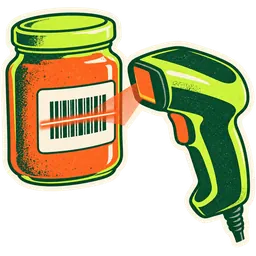
POS with scale integration that reads the label, not a guess.

Your deli and meat-counter scales already print barcodes with the item and its weight. GetGroceryPOS reads them, prices them from your catalogue and puts the right total on the ticket, in pounds or kilos.

2.36 lb$0.69/lb$1.63

Drag the scale to turn it, or use the arrows. Pick an item to weigh it.

ItemPut something on the scale
Weight—
Unit price—
Line total—

prefix · SKU · weight

What is a scale barcode?

Weight-embedded barcode
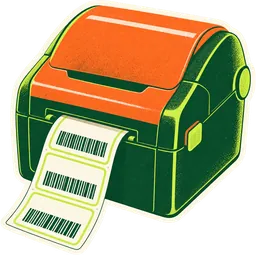
A barcode printed by a label scale at the moment of weighing. It starts with a fixed prefix that marks it as a scale label, then the item code, then the net weight. The register reads the weight from the barcode and multiplies it by the item’s price per pound or kilo.

One label, four parts.

This is the bananas label from the scale above, digit by digit. You type the same lengths into GetGroceryPOS once.

20Prefix4011Item code (SKU)02Whole lb36Decimals
PartDigits in our exampleWhat it meansWhere you set it
Prefix2 (20)Tells the register “this came from a scale”. Many scales use a number starting with 2.On the scale’s label format, then the same value in GetGroceryPOS
Item code4 (4011)The product’s SKU, usually the same as its PLU.Product SKU in your catalogue
Whole weight2 (02)Pounds or kilos before the decimal point.“Quantity integer part length”
Decimals2 (36)The part after the decimal point.“Quantity fractional part length”

Two ways to sell by weight.

Label scale at the counter

The butcher weighs, the scale prints, the customer carries the package to the register. Best for meat, deli, seafood and anything pre-packed in store.

  • Fast at the register: one scan
  • Net weight after tare
  • Works at any number of lanes

Weigh at the register

The cashier puts produce on a scale at the lane and enters the weight, or the PLU and the weight. Best for loose fruit, vegetables and bulk bins.

  • No label printer needed
  • Decimal quantities in lb or kg
  • Pairs with PLU codes

Set up a label scale in four steps.

About twenty minutes, most of it reading your scale’s settings. Full walkthrough in the help center.

  1. Step 1Match the scale’s label format

    Look at a label your scale prints. Note the prefix (often 20 or another 2x number), how many digits the item code uses, and how many digits hold the weight.

  2. Step 2Turn on weighing-scale barcodes

    In Business settings → POS, enable the weighing scale and type in the prefix, item-code length and weight digits.

  3. Step 3Use the same item codes

    Give each weighed product the same SKU in the POS that its PLU uses on the scale, and set its price per pound or kilo.

  4. Step 4Scan a test label

    Weigh something, print the label, scan it at the register. Check the weight and the line total before your first customer.

What can go wrong, and the fix.

  • The register says “product not found”. The item code on the label doesn’t match a SKU, or the SKU length is set wrong. Compare one label with the product’s SKU.
  • Weights come out ten times too big. The decimal-digit setting doesn’t match the scale (2 vs 3 decimals). Change the fractional length.
  • A normal UPC starting with 2 rings up as a scale label. Pick a prefix your packaged goods don’t use, and set the scale to the same prefix.
  • The scale prints price, not weight. Switch the scale’s label format to embed weight. GetGroceryPOS prices from the catalogue so prices stay in one place.

Scale questions, answered.

10 questions on the shelf

  1. How do scales connect to a POS?

    The most common way is a label-printing scale at the deli, meat or produce counter. It prints a barcode that carries the item code and the weight; the register scans it. GetGroceryPOS reads that barcode in your configured format and multiplies the weight by the item’s price per pound or kilo.

  2. What is a price-embedded or weight-embedded barcode?

    It is a barcode made on the spot by a scale: a fixed prefix that says “this is a scale label”, then the item code, then the weight. Some stores call any of them “random weight” or “variable measure” labels.

  3. Does the barcode carry the price or the weight?

    In GetGroceryPOS the barcode carries the weight (quantity). The price comes from the product’s price in your catalogue, so changing the price in one place changes it at every counter.

  4. Which digit lengths can I set?

    You set four things: the prefix, the length of the item code (SKU), how many digits hold the whole part of the weight and how many hold the decimals. Our example uses prefix 20, a 4-digit SKU, 2 whole digits and 2 decimal digits.

  5. Can I sell by weight without a label scale?

    Yes. Mark the unit as allowing decimals (lb or kg) and the cashier types the weight, such as 1.37, when ringing up. This suits small stores that weigh at the register on a separate scale.

  6. Does it read live weight from a scale at the register?

    Label-scale barcodes are built in. If you want a scanner-scale at the lane to send live weight to the screen, bring the model to your demo and we confirm whether it connects in your setup before you buy anything.

  7. Which scale brands work?

    Any label scale that can print a barcode with a prefix, the item code and the weight in fixed positions. Most deli and meat-counter label scales can. We list categories and what to check in the hardware guide.

  8. Is the scale legal for trade?

    That depends on the scale, not the software. In the US, scales used to sell by weight must meet your state’s weights-and-measures rules (most require an NTEP-certified device, inspected and sealed). In the UAE and Pakistan, follow your local metrology authority. GetGroceryPOS only reads the weight the scale reports.

  9. What about tare (the container weight)?

    Tare is subtracted on the scale before the label prints, so the label already carries net weight. Set tares on the scale for your trays and deli containers.

  10. Pounds or kilos?

    Both. US stores usually sell by the pound (lb); UAE and Pakistan stores by the kilo (kg). The unit is set per product, so you can sell rice by the kilo and cheese by the pound if you want.

Put your deli scale on the register.

Start the trial, set your label format, scan a test label. Or book a demo and we check your scale model with you.

14-day free trial · no card · no contract · cancel any month