
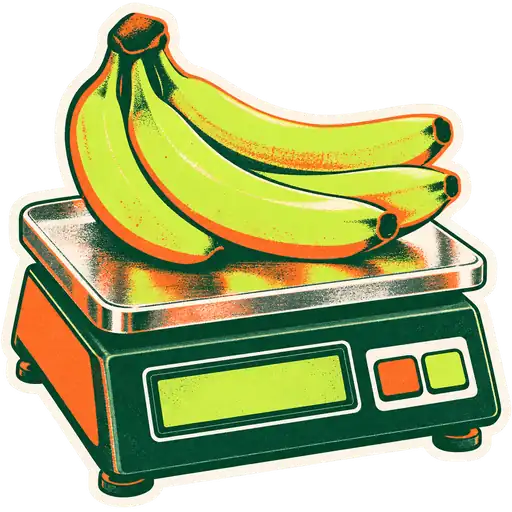
Every carnicería, Asian seafood counter and halal butcher has the same moment a hundred times a day. Meat goes on the scale, a label prints, the customer carries the package to the front, and the cashier scans it. If the register reads that label wrong, you lose money or you overcharge a regular. This guide explains exactly what is inside that label and how to set your point of sale up so it reads it right every time.
What is a label scale?
A label scale is a counter scale that weighs an item and prints a sticker with a barcode. The barcode carries a code for the product and its weight (or price). The register scans the sticker and adds the item at the right amount, so the cashier never types a weight.
Label scales sit at the deli, the meat counter, the seafood counter, the cheese case and sometimes the produce or bulk section. They are different from a scanner scale at the register, which weighs items as they are rung up.
How is the weight stored in the barcode?
The barcode is built from fixed-length parts. In the format GetGroceryPOS reads, the parts are: a prefix, the product SKU, the whole-number part of the quantity and the decimal part of the quantity. You tell the POS how many digits each part uses, and it splits every scanned label the same way.
Here is the example from our setup guide, with spaces added so you can see the parts:
| Part | Length (example) | Digits | Meaning |
|---|---|---|---|
| Prefix | 2 | 25 | “This is a scale label” |
| Product SKU | 4 | 1234 | The product in your POS with SKU 1234 |
| Quantity, whole part | 2 | 35 | 35 |
| Quantity, decimal part | 2 | 50 | .50 |
So the label 2512343550 is read as SKU 1234, quantity 35.50. The register then multiplies 35.50 by the unit price of product 1234 to get the line price.
Where does the prefix come from?
In the UPC-A and EAN-13 barcode systems, numbers starting with 2 are set aside for in-store, variable-measure items. That is why many scales use prefixes such as 20 to 29. Your scale vendor sets the prefix when the scale is programmed. The POS just needs the same prefix in its settings.
Weight or price in the barcode?
Some scales print the price instead of the weight. GetGroceryPOS reads the quantity and calculates the price from the unit price stored in the POS. The benefit: when beef goes up 50 cents a pound, you change it once in the POS, and every label scanned after that is priced correctly. Make sure your scale is programmed to print weight, and that its product codes match your POS SKUs.
How do I set it up in GetGroceryPOS?
You turn on weighing-scale barcodes in the POS settings, enter the prefix and the length of each part, and make sure every scale item exists in your catalogue with a matching SKU and a weight unit. After that, the cashier scans the label with the weighing-scale option on the POS screen, and the item is added.
- Ask your scale vendor for the exact label format: prefix, item code length, weight digits and decimals. Or print a label and read it yourself.
- Turn on the weighing scale option in the POS settings and enter the prefix, SKU length, quantity whole-part length and quantity decimal length.
- Create the products for every scale item (for example “Arrachera”, “Pork belly”, “Salmon fillet”, “Lamb shoulder, zabiha”) with SKUs that match the scale’s item codes, unit set to pound or kilogram, and decimals allowed.
- Set the unit price per pound or kilogram in the POS.
- Assign a shortcut key for the weighing-scale scan if your cashiers use one often.
- Test five labels: one heavy, one light, one under one pound, one with a long product name and one from each scale.
Want to see it before you set it up? The weighing scales feature page has an interactive scale that builds the barcode digit by digit.
What does “legal for trade” mean in the US?
A scale used to sell goods by weight in the US must be legal for trade, which means its model meets NIST Handbook 44 and your state accepts it, usually through an NTEP certificate. State or county weights and measures inspectors check scales in stores and can take an inaccurate one out of service.
What this means for you:
- Buy scales with an NTEP certificate for the way you use them. The NCWM site lets you search certificates by model.
- Keep the scale level, clean and zeroed. Inspectors check this.
- Use tare correctly. The weight of the tray, container or paper must be subtracted. Program tare values into the scale for each container type.
- Keep the customer display visible. The customer must be able to see the weight.
- Follow your state’s rules for label content (weight, unit price, total price, item name, sometimes packing date).
GetGroceryPOS reads the barcode your scale prints. It does not make a scale legal for trade; that is the scale and your state inspection. In the UAE and Pakistan, follow the local legal-metrology authority for your city.
Label scales vs scanner scales vs typed weights
Grocery stores sell by weight in three ways. Each has a place.
| Method | Where | Speed at register | Who weighs | Good for |
|---|---|---|---|---|
| Label scale + barcode | Deli, meat, seafood, cheese | Fastest: one scan | Counter staff | Service counters, pre-packed trays |
| Scanner scale at register | Front lanes | Fast | Cashier | Loose produce with PLU codes |
| Typed decimal weight | Any register | Slower | Cashier reads a separate scale | Small stores, backup when a scale is down |
Many markets use all three: label scales at the carnicería, PLU codes at the front for produce, and typed weights as a backup. Our hardware guide lists the categories of devices that work with GetGroceryPOS, and you can ask on a demo about live scanner-scale connection for your model.
Troubleshooting scale labels
Most label problems come from a mismatch between what the scale prints and what the POS expects. Print a label, write the digits out, and compare them with your settings.
- Item not found. The SKU part is the wrong length, or the product SKU in the POS does not match the scale code. Check leading zeros: “0123” and “123” are different.
- Weight ten times too big or too small. The decimal length is wrong. If the scale prints 3 decimals and the POS expects 2, 1.250 lb becomes 12.50.
- Label scans as a normal barcode. The prefix is not set, or the cashier did not use the weighing-scale scan option.
- Price is wrong but weight is right. The unit price in the POS is out of date, or the product is set to “each” instead of pound or kilo.
- Check digit errors. The barcode includes a check digit at the end; a damaged or wrinkled label may not scan. Reprint it.
- One scale works, another does not. The two scales were programmed with different prefixes or formats. Make them match, or ask your vendor.
Practical tips for busy counters
- Name products the way staff say them. “Carne para asar”, “Pork belly / 五花肉”, “Ba chỉ heo” make search faster at the counter. Names can be stored in two languages; see multilingual receipts.
- Keep a printed list of scale codes taped to every scale.
- Reprogram scales and POS together when you add a new cut, so the code exists in both on the same day.
- Review a weekly report of scale-label sales by item to spot codes that never sell (maybe mistyped) or prices that look off.
How do I name and organize scale items in the POS?
Give every scale item its own product with a clear name, the scale’s item code as the SKU, the right weight unit and a category for its counter. Name products the way your counter staff and customers talk, and group them by counter, so reports show what each counter sells.
A layout that works for a market with several counters:
| Counter | Category in POS | Example items | Unit |
|---|---|---|---|
| Carnicería / meat | Meat counter | Arrachera, chuleta, carne molida, zabiha lamb | lb or kg |
| Seafood | Seafood counter | Tilapia whole, shrimp 21/25, salmon fillet | lb or kg |
| Deli and cheese | Deli | Queso Oaxaca, ham, halloumi, labneh | lb or kg |
| Prepared foods | Prepared | Carnitas by the pound, roast duck | lb or kg |
| Bulk | Bulk bins | Dried chiles, nuts, dates, rice | lb or kg |
Two notes. Prepared hot foods are usually not SNAP-eligible in the US, so mark them correctly. And taxes differ: in many states prepared food is taxed even when groceries are not, so set the tax on each item.
Can one product be sold by weight and by package?
Yes. A product can be sold by weight from the counter and also in fixed packages from a cooler, but treat them carefully. Pre-packed trays labeled on the scale still use the weight barcode. Fixed-weight packages from a supplier have their own UPC and are a separate product with a fixed price.
The usual mistake is mixing them: a store creates “Chicken thighs” once and uses it for both loose counter sales and a supplier’s 3 lb family pack. Prices and stock get confused. Keep two products: “Chicken thighs (counter, per lb)” with the scale code, and “Chicken thighs family pack 3 lb” with the supplier’s barcode.
Short-dated counter items
Meat, fish and deli items have short lives. Mark down near-date items with a reduced unit price on a separate product or a discount at the register, and track what you throw away. A weekly shrink check on scale items pays for itself quickly.
The bottom line
A label scale and your POS speak through a short string of digits: prefix, SKU, weight. Once the lengths match, every package from the deli rings up at the right weight and today’s price. Set it up carefully, keep scales legal for trade, test five labels before opening, and your counter will run without arguments over cents.
If you want us to check your scale’s format, book a demo and bring a printed label. Or read our guide to PLU codes at the front lanes.
The GetGroceryPOS Grocery Desk
Product, onboarding and support team
The people who set up GetGroceryPOS in grocery stores and ethnic markets and answer the questions owners ask on demos.


















